

Part 1: Did you ever get your crypto stolen? Here’s probably how it happened. How to stay Secure while using your Crypto Wallet.
We know that there are many viruses on windows and phones, that act as key loggers and can steal passwords and seed phrases. Some read your keystrokes but others take screenshots of your activity. Here are various tips for how crypto can get stolen and how you can protect yourself:
1) Did you ever enter your seed phrase into a computer/phone since/after the time first created it? Example, you created the wallet 3 years ago, and then recently you received a wallet update and it wiped your seed phrase and asked you to enter it again. Or maybe you got a new phone and entered the seed phrase into android/iphone app? If you did, there is a chance there was malware/keylogger on your device that was able to read the seed phrase as you were typing it in.
2) Hackers upload their own fake wallet version apps to apple store, google store, etc. So lets say you go to apple store and search for exodus wallet or trust wallet or ledger, you may get 3 wallets with the same name and you don’t notice but click on the top one. Well, the hackers often use SEO to get their fake stuff to come up first. So you now downloaded a hacker’s wallet thinking it’s legit, and you either create a new seed phrase or put in existing one. But since the hacker has complete control over this wallet, they can steal your crypto any time. Multiple crypto providers have warned about this happening. This happens to people all the time. So going to the official website and clicking on the wallet link (android/iphone/windows) is the safest way. With the website it’s a little more tricky for hackers, but what they’ve done a few times I heard, is they’ve hacked a crypto wallet website, and uploaded their own fake wallet application. And anyone that downloaded that version from the official website, unknowingly downloaded a hacker’s wallet. And anything they do in that wallet is under complete control of the hacker. After some time, the wallet provider would catch this, but would be too late for everyone that has already downloaded the hacker’s fake wallet application. So this issue has affected software and hardware wallets. Ledger constantly warns about this.
3) When you ordered your hardware wallet — did you buy it on a reseller website like ebay, amazon, etc.? Or did you order it directly from the wallet/manufacturer’s website? One of the recent popular methods hackers have used is they purchase bunch of hardware wallets, install malware on them, and then resell it on ebay/amazon. So when you buy it (Because it’s on discount), you have now purchased a hacked wallet. And anything you do with that wallet is completely controlled/monitored by the hacker.
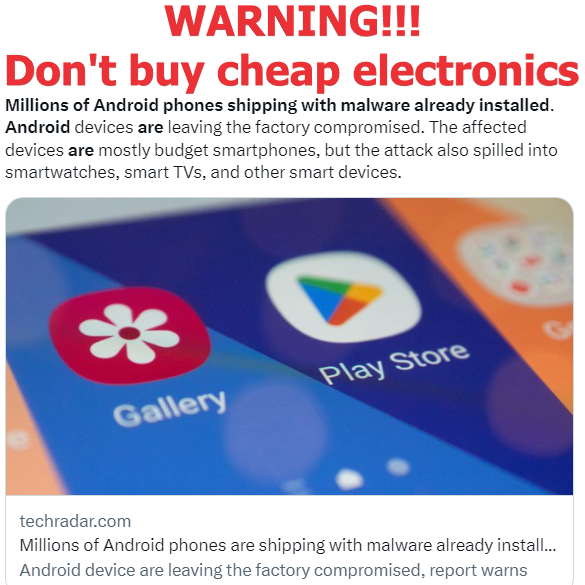
4) When you purchased your phone or computer, did you buy it new or used, and was it from an official reseller like Best Buy or did you buy it on Amazon from a random reseller (most likely china)? Check out my post: “WARNING!!! Don’t buy cheap electronics. They could steal your crypto and passwords.” Millions of Android phones shipping with malware already installed. Android devices are leaving the factory compromised. The affected devices are mostly budget smartphones, but the attack also spilled into smartwatches, smart TVs, and other smart devices. https://www.youtube.com/post/UgkxqDmFCUOHIFVUJlpSxHrDPfIcIgFevzJp
a. Recently a IT Youtuber (CyberCPU Tech) reviewed a mini PC he received directly from the manufacturer, that was loaded with malware from the factory. “This Computer Shipped With Malware Already Installed!!” Here is what he said: “I received a review sample for a mini PC that came preinstalled with a virus. I wasn’t expecting this and that’s why this video had to be made. Do we really need to be worried about malware being loaded on PC’s from the factory? I guess we do.”
5) Do you have a good antivirus/antimalware on your computer, and do you do periodic scans? I personally use Comodo security (antivirus/firewall) which is on all the time — I’ve used it for over a decade, so there might even be something better out there by now. But I really like their firewall. Make sure you have a good aftermarket firewall — don’t rely on the standard windows firewall. For example some firewalls have a feature where when a program tries to access the internet, the firewall will block them and ask you to approve. This is good to have because if a virus does get through and tries to send your data back to the hacker, there is a chance the firewall may block them from doing it. Again, nothing is really foolproof. But it definitely helps. I also recommend using Malwarebytes antimalware — it’s free for manual scans, but it’s premium for real time scanning. I use the free version and just periodically scan my system. It can catch things other programs can’t. It also has a rootkit scanning feature which is a much deeper, longer scan. Rootkits is how most malware gets through undetected by most antivirus programs out there, and this scan would catch it.
6) If you use the windows version of your crypto wallet (desktop app, browser extension), did you set up multiple windows user accounts and removed admin rights from your main window user account that you use every day. When you typically get a new computer or install windows for the first time, the user you created will have administrator rights to install or delete anything. And this is what viruses and malware typically require to work. But if you create a second user account and give that user the administrator rights, and make your primary account a regular user, then any virus you download, will typically have a problem opening/starting itself. This is not a foolproof way to secure your computer, but it definitely works against most viruses/malware out there. Unfortunately, you will get an annoying popup every time you want to install or run an application that requires admin rights, and you will have to enter the user name and password of the administrator-user. So this is a pain in the butt, but definitely worth it.
7) Did you create a good/long password to open the Wallet application/browser extension on your computer?
8) Per Exodus and most other software wallets, the seed phrase is saved locally on your device in an encrypted file. The wallet provider doesn’t store your seedphrase in their cloud. There are multiple ways a hacker can get to your crypto. One way is windows keylogger/virus that monitors for passwords. So if the virus was on your device and it caught the wallet application password that you were putting into the wallet to open it, then the hacker has all they need — they don’t need your seed phrase. I believe the hacker will export/download the necessary files from your computer and then just plug in your password without the seed phrase and be able to steal your crypto that way. Second option, which is much harder. If you have a more simpler malware/virus on your computer (not keylogger), and it just steals/downloads the encrypted wallet application seed phrase file. Then the hacker will have to try to brute force the encrypted file. This could take years based on current computing power (unless it’s like government agency who has access to quantum computer then they could crack any encryption/password in seconds, I’ heard). Third way, the virus can just export/download other important wallet application files which contain the software wallet application password. And they can try to bruteforce the wallet application password — which should be easier than bruteforcing the seedphrase file. So if your wallet application password is something like “applesauce”, they’ll probably crack it in 30 seconds using a dictionary attack. So here are at least 3 ways they could steal your crypto, if you are not keeping your system clean of viruses.
9) Another, very popular method, is called Clipboard Hijacking attack. The virus sits on your computer and waits until you copy the wallet address that you plan to send crypto to, and then modifies the first few and last few characters in the clipboard, and pastes a hacker’s’ address (which is a wallet belonging to hacker). And since most of us only check last few characters and possibly first few, we would all miss this happening. So this is most popular/easiest way hackers are stealing crypto nowadays. This is one of the top ways hardware wallets are attacked.
10) Some people save their seedphrase in an online/cloud password manager like Lastpass. Lastpass got hacked last year, and bunch of people who had seed phrases on there, got their crypto stolen. About 6 million dollars worth. So I recommend to only save seed phrases in an offline and open source password manager like Keepass.
Part 2: Did you ever get your crypto stolen? Here’s probably how it happened. How to stay Secure while using your Crypto Wallet.
11. Another way people can lose their crypto is by updating their wallet. Basically, a bad/rogue employee of the wallet company, puts in a few extra lines of code to get access to peoples’ seed phrases/crypto. For example an employee knows they are about to get fired, and decides to get back at the company…. So once people get the new wallet update, their crypto would be stolen right after. Atomic wallet that was hacked last summer (2023) had rumors going around that it might have happened to them. But since they would be legally liable for this and would have to reimburse their customers, they shoved the whole thing under the rug and deleted all negative comments mentioning this hack — which would probably mean it was true. Also the whole Ledger wallet scandal with Ledger Recover — Ledger released a statement last year saying that they can easily access all seedphrases of the ledger wallets people have, if they want:
a. “Technically speaking it is and always has been possible to write firmware that facilitates key extraction. You have always trusted Ledger not to deploy such firmware whether you knew it or not,” Ledger said on Twitter.
b. I think this means any crypto wallet out there can push an update that will extract your seedphrase and send it to them.
12. Another way, is if a wallet provider is actually storing a copy of the seedphrase on their own company servers/cloud. The employees of the company would then have access to them or if they got hacked the hackers could easily steal them. For example exodus wallet says on their site, that they don’t store seedphrases on the cloud, they are only stored on the local device. This is what most software wallets say. The only way to truly verify this, is if the wallet is an open source wallet — meaning the code is available for any IT professional to review and confirm.
13. many people use trust wallet, coinbase wallet, or any other web3 compatible wallet to connect to websites like pancake swap or others, to get airdrops and to do swaps. This connection allows hackers to steal all crypto from your wallet. Here is what could happen. Lets say you connect to pancakeswap which is a trustworthy site. But then months from now, pancakeswap is hacked and the hackers now have access to all the connected wallets, meaning they can now drain all the connected wallets/steal crypto. That’s why it’s recommended to both disconnect and revoke. Disconnecting alone is not enough. You have to revoke the approval you gave the website when you connected. Because the approval is what allows the website to control the crypto in your wallet. This is the top reason web 3 wallets like trust wallet get hacked so often. My recommendation use a specific wallet for connecting to websites, but never keep any crypto there, always move it to another wallet that has never been connected to anything.
14. Another example is from a January 2024 article. MacOS Malware Targets Bitcoin, Exodus Cryptowallets. The malware is delivered via cracked applications and can replace Exodus and Bitcoin cryptowallet applications installed on the user’s machine with infected versions that steal secret recovery phrases after the wallet is unlocked. The malware simply removes the old application from the “/Applications/” directory and replaces it with a new, malicious one. After installation and the patching process, the applications become operational, and the user is unaware of the malware running in the background. When users launch these compromised wallet applications, the malware sends data, including seed phrases or wallet passwords, to a command-and-control (C2) server controlled by the attackers. In 2023, there were numerous malicious campaigns targeting cryptocurrency wallet owners, but the Kaspersky findings indicate that some attackers are now going to greater lengths to ensure they access the contents of their victims’ crypto wallets while remaining undetected for as long as possible. https://www.darkreading.com/application-security/macos-malware-targets-bitcoin-exodus-cryptowallets
a. Basically the malware replaces your software wallet application with a hacked version. Next time you open it, you have typed in your real password into a hacked wallet. And now the hackers knows your password/seedphrase. And sometimes the malware doesn’t replace the entire application, but just the shortcut you use to open the wallet.
15. Did you ever hear the Myth that Apple/Mac can’t get a virus? That is completely false. A Youtuber, called “Basically Homeless”, in February 2024, proved it by “Installing 100 Viruses on My Macbook”. So if you are using crypto wallets on your macbook thinking nothing bad could ever happen, you are wrong. Make sure you have antivirus and antimalware and apply as many security tips above as you can to your macbook.
16. Some people take photos of their passwords or seedphrases, thinking that since it’s not written down anywhere or even on their computer/phone, there is no way hackers will know. But since so many people have done this
17. Here is an article from 2023: “New Android malware uses OCR to steal credentials from images. While it is not recommended to take photos of your recovery phrase, people still do it, saving the photos on computers and their mobile devices. However, if this malware feature (OCR) is enabled, it could potentially OCR the image and extract the recovery phrase, allowing them to steal the wallet. The collected data is then sent back to the threat actors’ servers at regular intervals, as shown below. The malware also acts as a clipboard hijacker for the Binance app by automatically switching a crypto recipient’s address with one under the attacker’s control, while the original address appears unchanged to the user. This behavior allows the threat actors to redirect payments sent to users to their own wallets, effectively stealing the transferred funds. https://www.bleepingcomputer.com/news/security/new-android-malware-uses-ocr-to-steal-credentials-from-images/
18. Here is a 2021 article where a hacker broke into thousands of iCloud accounts and stole pictures. “A Los Angeles County man broke into thousands of Apple iCloud accounts and collected more than 620,000 private photos and videos in a plot to steal and share images of nude young women, federal authorities say. “https://www.latimes.com/california/story/2021-08-23/icloud-photo-theft-nude-women
a. So how complicated would it be for an Apple iCloud employee to do OCR and scan the photos of all customers to find possible password and crypto seedphrases. Or a hacker hacking apple iCloud accounts to do the same. Same goes for iCloud notes — many people save password and seedphrases in their iCloud notetaking software which could also be compromised. And this also goes for any unencrypted note taking software on android or windows.
19. Do you use Browser Plugins like adblockers, video downloaders, etc.? On June 3, 2024, news channels reported a 1 million dollar Binance hack. Hackers exploited Chrome plugin, browser cookies, to steal millions from Binance accounts. If you have browser extensions installed on your browser, they can manipulate and record what you see. Only use/install trusted plugins.
https://archive.ph/LDFvD
20. Address poisoning is a sophisticated crypto scam that manipulates users into inadvertently transferring their cryptocurrency to a scammer’s address. This scam involves the hacker manipulating transaction history of the victim’s crypto wallet. The scammer initiates the process by sending a very small amount of cryptocurrency to the victim’s wallet. This transaction causes the scammer’s address to be recorded in the victim’s transaction history. When the victim later intends to send cryptocurrency, they typically review their transaction history to find the correct address. Owing to the close resemblance engineered by the scammer, the victim may mistakenly copy the scammer’s address instead of the intended recipient’s address, and send their crypto to the scammer’s address.
21. MEV Sandwich Attack – is a highly prevalent manipulation tactic within DeFi ecosystems (such as uniswap and pancakeswap). It occurs when an MEV searcher bot attempts to profit from an asset’s price volatility. The searcher bot will jump ahead of the target’s large purchase order, which raises the price of the asset. As a result, They will then place a sell order following the confirmation of the victim’s order to take advantage of the purchase they knew was coming in advance.
A crypto trader lost more than $215,000 on March 12 in a sandwich attack while swapping stablecoins. The incident happened on Uniswap v3’s USDC-USDT liquidity pool. The trader wanted to exchange $220,764 in USD Coin (USDC) for Tether (USDT), but within just eight seconds, a bot interfered and messed up the trade. As a result, they ended up with only $5,271 in USDT—losing nearly 98% of their money. MEV bots work like high-frequency traders, looking for ways to profit from blockchain transactions. In this case, the bot temporarily pulled all the USDC liquidity from Uniswap v3’s USDC-USDT pool, then put it back right after the trader’s swap went through. This trick led to a terrible exchange rate, causing the huge loss. Initially, some blamed Uniswap, but CEO Hayden Adams clarified that these transactions didn’t happen through Uniswap’s official interface, which has MEV protection and slippage settings to help prevent such attacks. https://www.bitget.com/news/detail/12560604638166
22. 3/15/25 – Microsoft has discovered a new remote access trojan called StilachiRAT that targets 20 different cryptocurrency wallet extensions in Chrome browsers, including Metamask, Trust Wallet, and Coinbase Wallet, to steal digital assets and credentials. https://coincentral.com/microsoft-identifies-stilachirat-malware-threatens-chrome-based-crypto-wallets/
23. New Android Malware pretends to be a crypto wallet and scares user into entering their seed phrase or lose all crypto. A newly discovered Android malware dubbed Crocodilus tricks users into providing the seed phrase for the cryptocurrency wallet using a warning to back up the key to avoid losing access. It achieves this through a screen overlay warning users to “back up their wallet key in the settings within 12 hours” or risk losing access to their wallet. https://www.bleepingcomputer.com/news/security/new-crocodilus-malware-steals-android-users-crypto-wallet-keys/
24. Abandoned DeFi websites used to host crypto wallet drainers. DeFi users were alerted yesterday (4/15/25) to a novel scam vector, in which scammers take over the websites of abandoned projects in order to lure former users into signing malicious “drainer” transactions. https://protos.com/abandoned-defi-websites-used-to-host-crypto-wallet-drainers/
25. Scammers post fake USDC stablecoins on wallet dex swap. So when you try to swap your crypto for USDC in your wallet, you get a fake USDC instead of the real one. This just happened to someone on Trust Wallet. They were trying to swap their crypto. Unfortunately they clicked on the fake USDC (same name, symbol, icon), and received fake USDC tokens – losing $38,000 in the process. https://www.reddit.com/r/trustwalletcommunity/comments/1kic2df/i_lost_38000_on_trust_wallet_due_to_a_misleading/
26. Rabby Wallet 2022 Swap Hack: Hackers found a weakness in the Rabby Wallet’s swap feature that let them steal users’ funds by tricking the wallet’s smart contract. This shows that sometimes the swap functions themselves can have bugs or vulnerabilities, so you should always be careful when using built-in swapping features in any wallet. https://medium.com/neptune-mutual/decoding-rabbys-smart-contract-vulnerability-873120014c22
27. Malicious Swap Contracts Scam: Sometimes, when swapping tokens, wallets show you many swap options from different routes. Scammers can create fake or bad swap route contracts that look cheap or good but are actually designed to steal your tokens once you approve them. Always double-check the contract addresses before agreeing to any swap to avoid getting tricked. An example is swapping BNB for WIKICAT in Rabby Wallet, where the user accidentally chose a malicious swap route and had all their WIKICAT tokens stolen. https://revoke.cash/exploits/rabby?chainId=1
28. In late November 2022, a critical vulnerability in the Trust Wallet browser extension was discovered that could have allowed attackers to steal assets from any wallet created with that extension between initial release on November 14, 2022 and November 21, 2022. This bug placed roughly $30 million at risk but was patched once discovered, and Trust Wallet disclosed details to the public in April 2023 after allowing users time to migrate their funds. Wallets created after November 23, 2022, were fully safe, as versions 0.0.172 and 0.0.182 were the only affected ones. Trust Wallet notified affected users privately through targeted in-app warnings in the browser extension (displayed every minute), warning badges/icons on vulnerable wallets, mobile push notifications linked to those addresses, and security scanner alerts blocking risky transfers. They also coordinated with Binance to reach users whose funds originated there (without sharing personal data). Public announcement was held until most assets were secured, as early publicity risked bots scanning and draining remaining balances in real-time; by April 2023, only ~$88K-$170K remained vulnerable across ~500 wallets, with reimbursements promised for losses. https://www.ledger.com/blog/funds-of-every-wallet-created-with-the-trust-wallet-browser-extension-could-have-been-stolen
29. Intellexa’s “Aladdin” Ad-Based Mobile Infection System (December 2025): Israeli spyware company Intellexa has deployed a mobile surveillance system called “Aladdin” that silently infects smartphones through malicious ads on legitimate websites. When you simply view a specially crafted ad (without clicking it), the malware automatically installs itself on your phone in the background. Once installed, the Predator spyware steals cryptocurrency seed phrases, private messages, call logs, and can activate device microphones and cameras. The system targets journalists, activists, and dissidents in specific countries including Pakistan, Egypt, Saudi Arabia, Kazakhstan, Angola, Mongolia, Greece, Uzbekistan, and Tajikistan. While security patches are available for the underlying vulnerabilities, the Aladdin system remains actively deployed as of December 2025. Risk to general cryptocurrency users is minimal unless they are political activists or journalists in targeted countries. https://thehackernews.com/2025/12/intellexa-leaks-reveal-zero-days-and.html
30. Trust Wallet Browser Extension 2.68 Supply Chain Attack (December 25-26, 2025): Malicious code was injected into Trust Wallet Browser Extension version 2.68, disguised as analytics tracking. Users who opened the extension and either logged in/unlocked their wallet OR imported a seed phrase were affected. The code captured seed phrases and sent them to attacker servers, enabling immediate wallet drains. $7M stolen. Trust Wallet patched with v2.69 and will cover losses. If you did either action before Dec 26 11:00 UTC, create new wallet now.
https://x.com/TrustWallet/status/2004316503701958786
https://x.com/EowynChen/status/2004649284537647161
31. In July 2026, Ledger’s security team showed that a precisely timed laser pulse can bypass a firmware check on Tangem cards and reset the wallet password, potentially allowing an attacker to sign transactions and drain funds. The flaw cannot be patched on existing cards because they don’t support firmware updates, so all cards already in circulation remain vulnerable in principle. For ordinary users the risk is still extremely low because the attack needs physical possession of the card, invasive chip opening, ~$250k of lab equipment, and specialist expertise, but for travelers it does raise a realistic concern that a determined state actor at a border or airport could, in theory, justify investing in such a setup to break a seized Tangem card from a high‑value target
https://forklog.com/en/ledger-researchers-uncover-physical-attack-method-on-tangem-wallet/
Tangem response – https://tangem.com/en/blog/post/lfi-response/
 Prophetic Money
Oh my goodness I was just thinking about the in the morning and I believe the Lord highlighted I needed to be more careful securing and gaining knowledge to better secure crypto from attacks then I see oh boy I better get studying this stuff then today I order a tangem wallet and can’t download tangem app my phone not NFC so I was thinking about buying a new android phone man this is confirmation and very eye opening
glad you found this helpful. ledger is also a proven crypto wallet. and i think it will work with older phones… stay safe and God Bless!